
Spatial Web Design: Interactive 3D Elements and Immersive Maps
Websites are shifting from pages you read to spaces you explore. We look at how interactive 3D elements and explorable maps are being used, why near-universal WebGL support is driving them, and what to weigh before adding them to your site.

At a glance
The short version
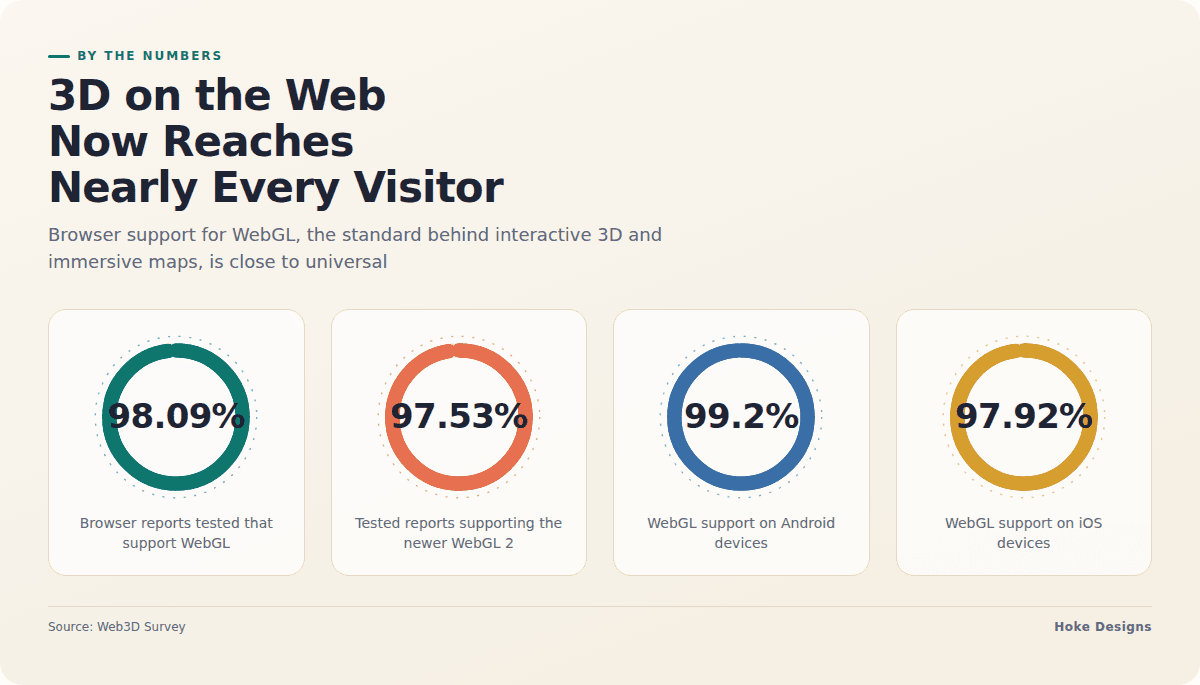
This infographic sums up the article on one page. Save it, share it with your team, or read on for the detail and the sources behind it.
In this article · 5 sections · 6 min
For most of the web’s history, a website was something you read. You scrolled down a page, scanned some text, looked at a few photos and clicked a link. That model still works, but a growing number of sites now ask visitors to do something different: to explore. Instead of looking at a picture of a product, you spin it around. Instead of reading a list of trail access points, you pan across a map and zoom in on the one you care about.
This shift is often called spatial web design, and two trends sit at the heart of it: interactive 3D elements and immersive, explorable maps. At Hoke Designs, we have been designing websites since 2007, and we have watched both move from novelty to practical tool. Below, we look at how each one is being used, why they are popular right now, and what businesses should weigh before adding them.
Why spatial design is having a moment
A big reason these trends have taken off is simple: the technology finally reaches almost everyone. Interactive 3D graphics in the browser rely on WebGL, a standard that lets a web page draw three-dimensional scenes using the device’s graphics hardware. According to Web3D Survey, about 98.09% of the browser reports it tested support WebGL. Its newer version is nearly as widespread, with the survey’s summary page reporting WebGL 2 support at about 97.53% of tested reports, and 99% support on Windows, Android and iOS.
That reach extends to phones, which matters because so many visitors arrive on mobile. Web3D Survey’s platform breakdown shows WebGL support at 99.2% on Android and 97.92% on iOS, alongside 99.02% on Windows and 97.62% on Mac OS. In other words, a designer who builds an interactive 3D scene today can reasonably expect it to load for the vast majority of people who visit.
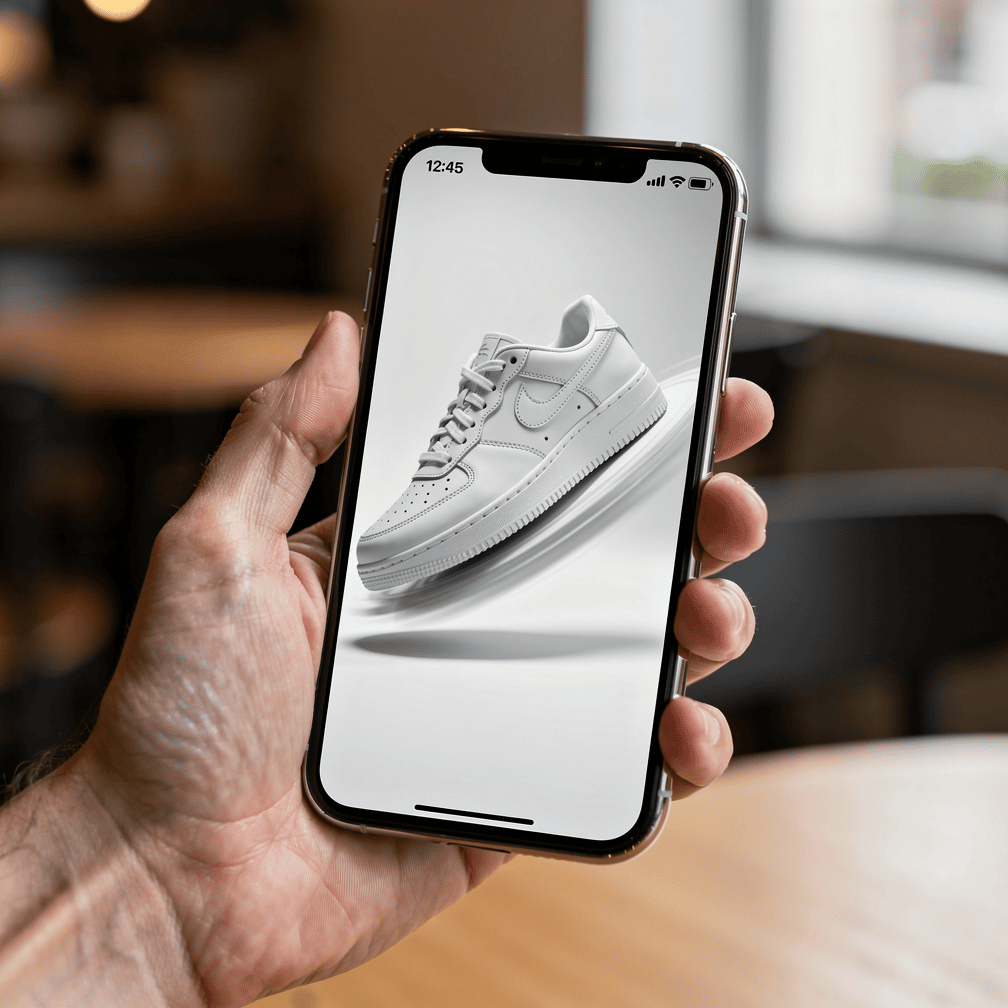
Not long ago, 3D on the web meant plugins, long load times and a lot of visitors who simply could not see it. That barrier has largely fallen, and designers have rushed to use the new freedom.
Trend one: interactive 3D elements
How it’s being used
Interactive 3D shows up in a few common forms:
- Product viewers. Instead of a gallery of fixed photos, a visitor can rotate an item, zoom in on details and sometimes change colors or options in real time.
- Hero scenes. The large banner area at the top of a homepage becomes a gently moving 3D object or landscape that reacts to the mouse or to scrolling.
- Explainers and models. A building, a piece of equipment or a natural feature is shown as a model that visitors can turn and inspect, helping them understand something that is hard to convey in a flat image.
- Scroll-driven storytelling. As the visitor scrolls, the camera moves through a scene, revealing information step by step, almost like a guided tour.
Why it’s popular
The appeal comes down to control and curiosity. When visitors can move something themselves, they stay engaged longer and come away with a clearer mental picture than a static image provides. A 3D element also signals effort and craft; it tells visitors the business cared enough to build something distinctive rather than relying on a stock layout. For brands trying to stand out in a crowded search result, that sense of polish can make a memorable first impression.
There is also a practical side. For businesses selling physical goods, for builders showing a project, or for anyone describing something with depth and shape, 3D answers questions before a customer has to ask them.

Trend two: immersive, explorable maps
How it’s being used
Maps used to be a small embedded box on the contact page. Now they are increasingly the main event. Immersive maps let visitors pan, zoom, tilt and click on points of interest, often with photos, video or details attached to each location. Some show terrain in 3D, so hills, shorelines and valleys have real shape. Others layer information on top, such as property boundaries, routes, available lots or seasonal points of interest.
Common uses include:
- Tourism and events. Visitors explore an area, see where tours depart or where activities happen, and plan their trip visually.
- Real estate. Buyers see a property in context with the surrounding neighborhood, terrain and access.
- Construction and land survey. Project sites, progress and survey information are presented in a way clients and stakeholders can actually navigate.
- Research and wildlife. Study areas, observation sites or habitat information are shared with the public in an approachable format.
Why it’s popular
People think about places spatially. A list of addresses or coordinates means little until you can see where things sit relative to each other. Immersive maps match the way visitors already plan, compare and make decisions, which makes them both useful and satisfying to explore.
This trend is especially relevant in Southeast Alaska, where geography shapes nearly everything. Communities like Juneau, Sitka, Ketchikan, Haines and Skagway are separated by water and mountains, and visitors often struggle to picture distances, terrain and access. A Gustavus lodge, a Petersburg marine operator or a Wrangell property listing can all benefit from showing visitors the landscape rather than just describing it.
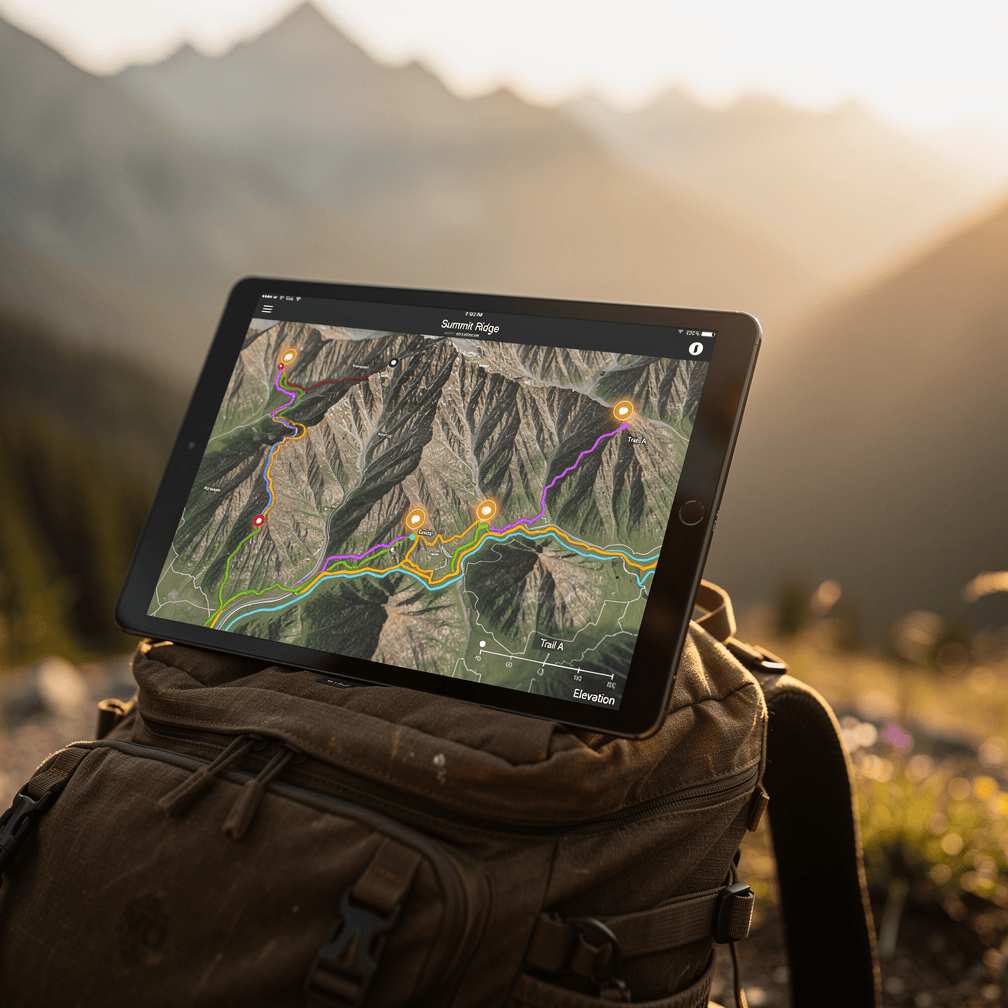
Maps are also where spatial design meets real-world data. Hoke Designs offers drone mapping and survey data alongside drone photography and video, flown by FAA-certified pilots in Southeast Alaska. Aerial imagery and mapping data can give an interactive map a level of current, local detail that generic map tiles cannot, which is part of why we find this trend so compelling for the industries we typically work with.
Doing spatial design well
Spatial elements are powerful, but they are not automatic wins. A few considerations separate a great experience from a frustrating one.
Plan for performance. Broad support does not mean every device runs 3D smoothly. Web3D Survey notes that 3.47% of reports may run with reduced performance. Heavy models and oversized textures can drain batteries and slow pages, so 3D assets should be optimized and loaded only when needed.
Build fallbacks. Support varies by platform and browser. Web3D Survey reports WebGL support at 89.27% on Linux, and by browser it ranges from 96.51% for Safari to 99.73% for Edge, with Chrome/Chromium at 98.13% and Firefox at 98.19%. A thoughtful design offers a static image or simple map for anyone who cannot load the full experience, so no visitor is left with a blank box.

Keep it purposeful. The best 3D and map features exist to answer a question or help a decision. If a spinning object does not help a visitor understand anything, it may just be in the way. Spatial design should support the content, not compete with it.
Remember accessibility. Important information should never live only inside a 3D scene or map. Pairing interactive elements with clear text, labels and keyboard-friendly controls means everyone can get what they need.
Pulling visitors into the experience
Interactive 3D elements and immersive maps share one idea: visitors learn more when they can explore for themselves. With browser support now nearly universal, these tools are within reach for businesses of all sizes, not just large brands with big budgets. Used with care, they can turn a website from something people skim into something they step into, which is a natural fit for a region as visually striking as Southeast Alaska.
If you are curious whether spatial design could work for your site, call (424) 209-8199 or send us a message through our contact form, and a real person will reply within one business day.
Images are presented for illustration purposes only.We use real photographs when we need to show what was happening at a real event.
Keep reading
More on Web Design
Variable Fonts and Custom Cursors: Small Web Design Trends
Variable fonts and expressive custom cursors are two small details that can make a website feel more polished and more like the brand behind it. We…
Sticky Navigation and Thumb-Zone Design: Where Menus Belong Now
Menus no longer have to sit in one row at the top of the page. We explain how sticky headers and thumb-zone design help visitors find…
Kinetic Typography and Anti-Design: Web Design That Breaks the Rules
Moving headlines and deliberately rough layouts are replacing the clean, template-driven look. Here is what kinetic typography and anti-design brutalism are and how designers use them.…
Hoke Designs
Questions about your own website?
Talk to the team that writes these articles and looks after dozens of sites every day. You’ll get a straight answer.