
Can Your WordPress Site Be Hacked Without You Knowing?
Many WordPress infections are built to stay invisible to the site owner. They show spam only to search engines or redirect only some visitors. Learn the five warning signs, a 15-minute self-check, and what to do if you find a hack.


At a glance
The short version
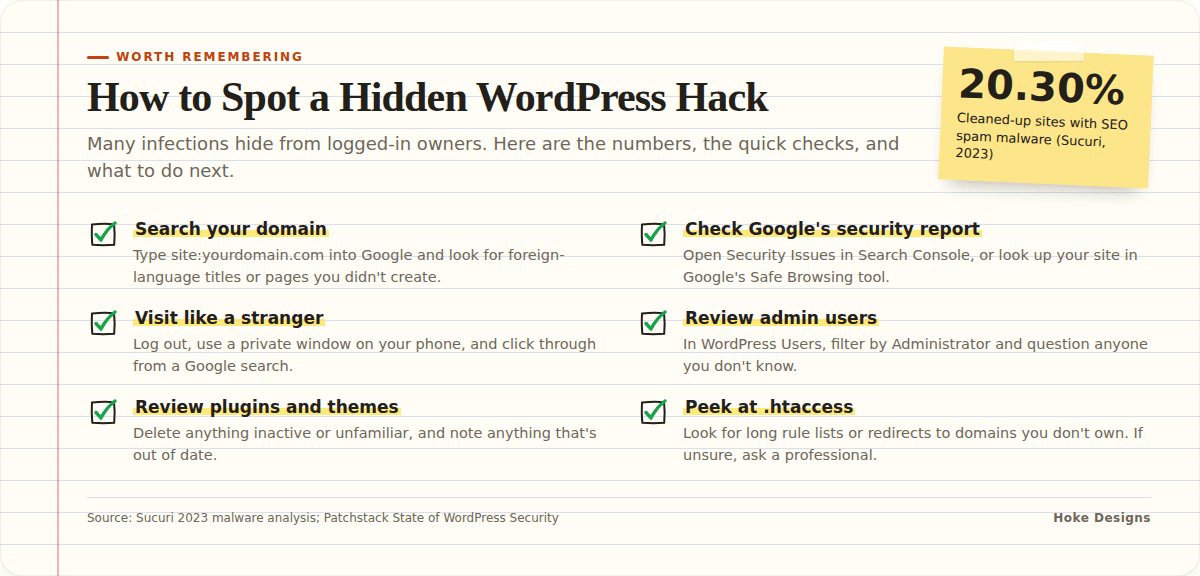
This infographic sums up the article on one page. Save it, share it with your team, or read on for the detail and the sources behind it.
In this article · 11 sections · 7 min
- 01Why Most Hacks Stay Quiet
- 02Warning Sign 1: Hidden or Selective Redirects
- 03Warning Sign 2: Strange Pages in Your Google Results
- 04Warning Sign 3: Browser Warnings and Blacklisting
- 05Warning Sign 4: Changes You Didn’t Make
- 06Warning Sign 5: Odd Behavior From Your Server
- 07A 15-Minute Self-Check
- 08Why Plugins Are Usually the Way In
- 09What to Do If You Find Signs of a Hack
- 10Why It Helps to Have an Expert Watching
- 11Key Takeaways
Yes, your WordPress site can be hacked without you noticing. Many modern infections are designed to stay invisible to the site owner. They show spam only to search engines, redirect only some visitors, or hide inside files you never open. The best way to find out is to look for specific warning signs and run a few simple checks, which we walk through below.
A defaced homepage is easy to spot. Most attacks today are quieter than that, because a hacked site is worth more to criminals when it keeps running and nobody fixes it. Here’s what to watch for, how to check, and what to do if something turns up.
Why Most Hacks Stay Quiet
Attackers usually want your site’s reputation, not your attention. They borrow your search ranking to promote their own pages, or send your visitors somewhere else. One of the most common payloads is SEO spam. Sucuri reported that SEO spam was the third most common malware family on compromised websites in 2023, affecting 20.30% of the sites it cleaned up.
The spam is often hidden from you on purpose. Injector-type spam adds hidden links that usually only search engines can see. That means you can browse your own site daily and see nothing wrong while Google sees something very different.

Warning Sign 1: Hidden or Selective Redirects
A redirect sends a visitor to a different site than the one they clicked. In Sucuri’s 2023 analysis, 28.19% of SEO spam infections involved malicious redirects to spam pages. These redirects are often conditional. They may only trigger for:
- Visitors arriving from a Google search rather than typing your address
- Mobile users
- First-time visitors who aren’t logged in to WordPress
As a logged-in admin, you’re often exactly the person who won’t see the redirect. If a customer mentions they “ended up on a weird site” after clicking your link, take that seriously.
These redirects are frequently persistent. Sucuri’s researchers tracked a campaign lasting more than five years that redirected visitors to spam and scam sites by exploiting vulnerable plugins and themes.
Warning Sign 2: Strange Pages in Your Google Results
Search for your own domain and you might find pages you never created, often in another language or advertising products you don’t sell. The best-known version is the “Japanese keyword hack.” Sucuri says Japanese spam has been one of the most common black-hat SEO spam infections for over nine years, and its remote scanners found it on another 157,723 sites in 2023 alone. These campaigns typically fill victims’ search results with knock-off designer goods.
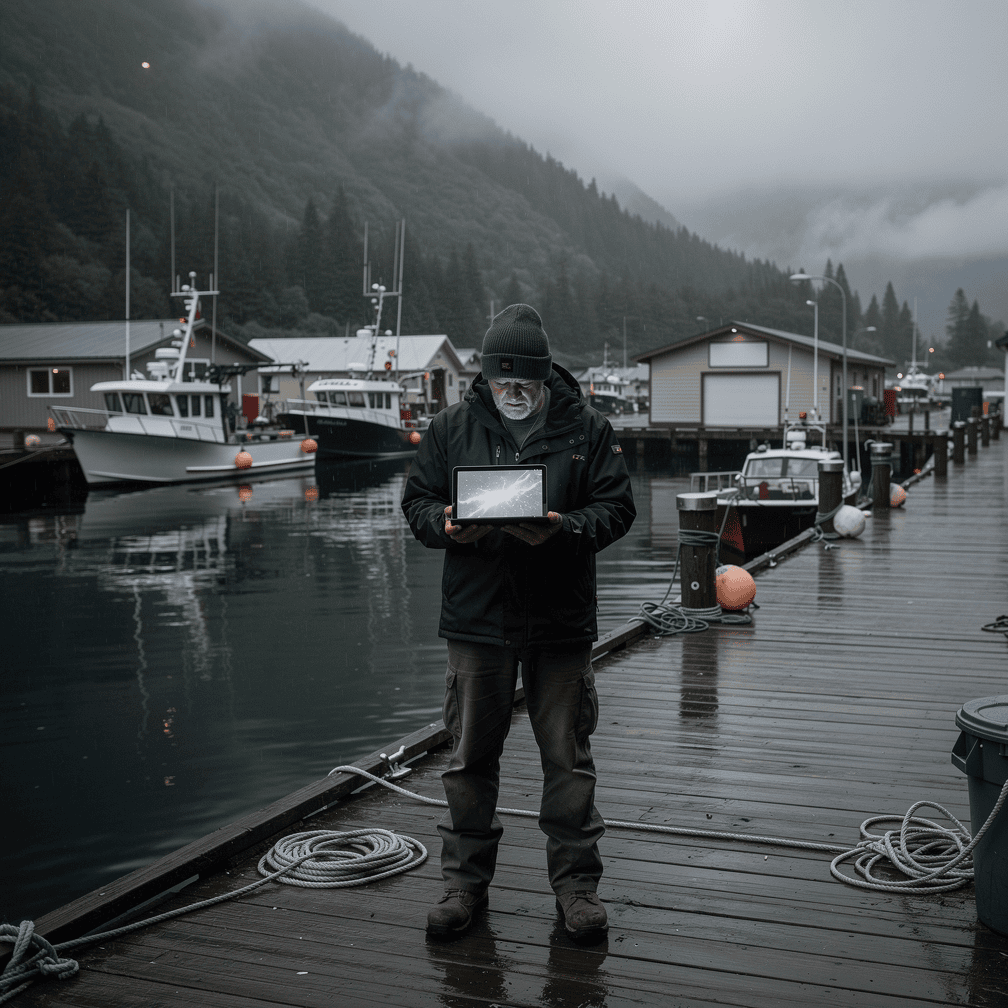
For a Juneau charter operator or a Ketchikan real estate office, the damage goes beyond looks. Potential customers searching for you see listings for fake handbags, which erodes trust before they ever reach your site.
Warning Sign 3: Browser Warnings and Blacklisting
If visitors see a red “Deceptive site ahead” screen, or your site is flagged in search results, search engines have detected something harmful. Sucuri notes that SEO spam infections can lead to browser warnings and blocklisting if search engines detect malicious content or phishing. A blacklist warning is often the first sign an owner gets, but it usually means the infection has been in place for a while.
Warning Sign 4: Changes You Didn’t Make
Look inside your WordPress dashboard and hosting account for anything you don’t recognize:
- Administrator accounts you didn’t create
- Plugins you never installed, or plugins that reappear after you delete them
- Unfamiliar PHP files in your uploads folder or site root
- Recent edits to your
.htaccessfile
That last one matters more than most people realize. The most common infection Sucuri found during cleanups in 2023 was malicious allow/deny rules in .htaccess files linked to Japanese SEO spam, found on 10.07% of cleaned sites. More broadly, SEO spam infections most often happen through .htaccess redirects, PHP, or database injections, so a clean-looking dashboard doesn’t rule out a problem.
Warning Sign 5: Odd Behavior From Your Server
Some signs are less specific but still worth noticing. These include a sudden slowdown, a spike in traffic you can’t explain, your host warning about high resource use, or your domain’s email landing in spam folders. Each of these can have innocent causes. Together, or alongside the signs above, they deserve a closer look.

A 15-Minute Self-Check
You can run these checks yourself without special tools:
- Search your domain. Type
site:yourdomain.cominto Google and scroll through the results. Look for foreign-language titles, product spam, or pages you don’t recognize. - Check Google’s security report. If you use Google Search Console, open the Security Issues section. You can also look up your site in Google’s Safe Browsing status tool.
- Visit like a stranger. Log out, open a private window on your phone, and reach your site by clicking it from a Google search rather than typing the address.
- Review users. In WordPress, go to Users and filter by Administrator. Remove or question anyone you don’t know.
- Review plugins and themes. Delete anything inactive or unfamiliar, and note anything that’s out of date.
- Peek at .htaccess. If you’re comfortable using your host’s file manager, look for long lists of rules or redirects pointing to domains you don’t own. If you’re not sure what you’re looking at, leave it alone and ask a professional.
Why Plugins Are Usually the Way In
Knowing how attackers get in helps you keep them out. Patchstack’s State of WordPress Security whitepaper reports that 11,334 new vulnerabilities were found in the WordPress ecosystem in 2025, a 42% increase over 2024. The vast majority weren’t in WordPress itself. According to Patchstack, 91% were in plugins, and only six were in WordPress core.
In practice, every plugin you install adds risk. An abandoned contact form or slider plugin can undo an otherwise careful setup. Keeping fewer plugins, choosing well-maintained ones, and updating promptly are some of the most effective protections you have.
What to Do If You Find Signs of a Hack
If your checks turn something up, work through these steps in order:

- Don’t just delete the obvious spam. Visible pages are usually symptoms. A backdoor can rebuild them within hours.
- Save a copy of the current site (files and database) before changing anything, so whoever cleans it can trace what happened.
- Change every password: WordPress admins, hosting, FTP/SFTP, database, and the email account tied to your admin login.
- Contact your host. They may see server-level activity you can’t.
- Clean, then patch. Remove malicious code, update or replace the vulnerable plugin or theme, and close whatever let the attacker in.
- Request a review. Once the site is clean, ask Google to review it through Search Console so warnings can be lifted.
How long this takes depends on how deep the infection goes and how good your backups are. A simple case may take a few hours. A site reinfected repeatedly over months can take much longer. If the infection involves your database, server configuration, or customer payment data, bring in a professional rather than going it alone.
Why It Helps to Have an Expert Watching
Quiet hacks are built to get past busy owners, and most business owners in Southeast Alaska are busy. You’re running tours, closing sales, or managing crews, not reading server logs. That’s a big part of why we offer managed hosting alongside the custom websites we’ve been designing since 2007. When one team builds and hosts your site, someone who knows how it’s put together is keeping an eye on updates, plugins, and the warning signs above.
Whether or not you work with us, it’s worth having a clear answer to one question: who is responsible for noticing when something goes wrong? If you already work with us, our support desk is the place to raise a concern.
Key Takeaways
- Many WordPress hacks are designed to be invisible to logged-in owners. Seeing nothing wrong isn’t proof your site is clean.
- The main warning signs are selective redirects, spam pages in your Google results, browser or blacklist warnings, and admin users or files you didn’t add.
- Check your domain with a
site:search, Search Console, and a logged-out mobile visit. - Plugins account for the large majority of WordPress vulnerabilities, so keep them few and up to date.
- If you find an infection, clean out the root cause, not just the visible spam, and get professional help for anything deep.
If something on your site doesn’t look right, call (424) 209-8199 or send a message via our contact form, and a person will reply within one business day.
Images are presented for illustration purposes only.We use real photographs when we need to show what was happening at a real event.
Keep reading
More on Security

Your WordPress Padlock Isn’t Enough: SSL Gaps and Headers
A padlock in the browser means the connection is encrypted, not that your WordPress site is set up securely. We cover common SSL/TLS misconfigurations, how to…
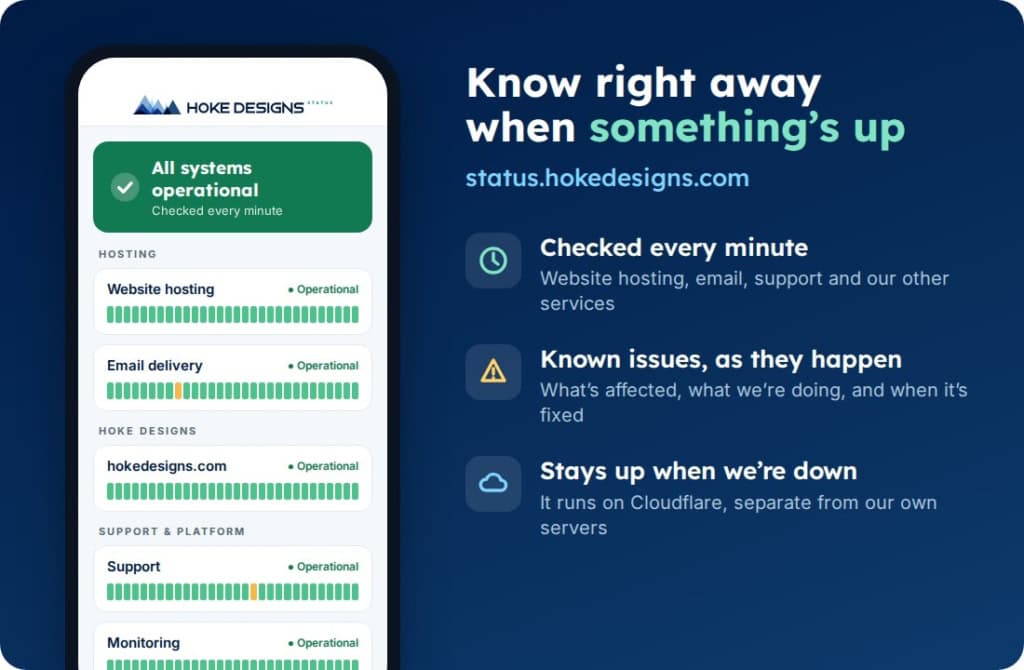
Introducing status.hokedesigns.com: Live Status for Every Hoke Designs Service
Our new status page shows, minute by minute, whether website hosting, email, support and our other services are running normally, along with any known issues and…
PHP2Shell: What It Is and How We Protected Your Website
PHP2Shell is a pair of critical flaws in PHP, the engine underneath WordPress and most of the web. Here’s what it means in plain English, why…
Hoke Designs
Questions about your own website?
Talk to the team that writes these articles and looks after dozens of sites every day. You’ll get a straight answer.