
Is Your Contact Form a Security Risk? SQL Injection, XSS and Spam Bots
Contact forms, booking requests and checkout pages accept text from strangers, which makes them a favorite target. Here's how SQL injection, cross-site scripting and spam bots work, with real WordPress plugin examples. There's also a hardening checklist you can work through this week.


At a glance
The short version
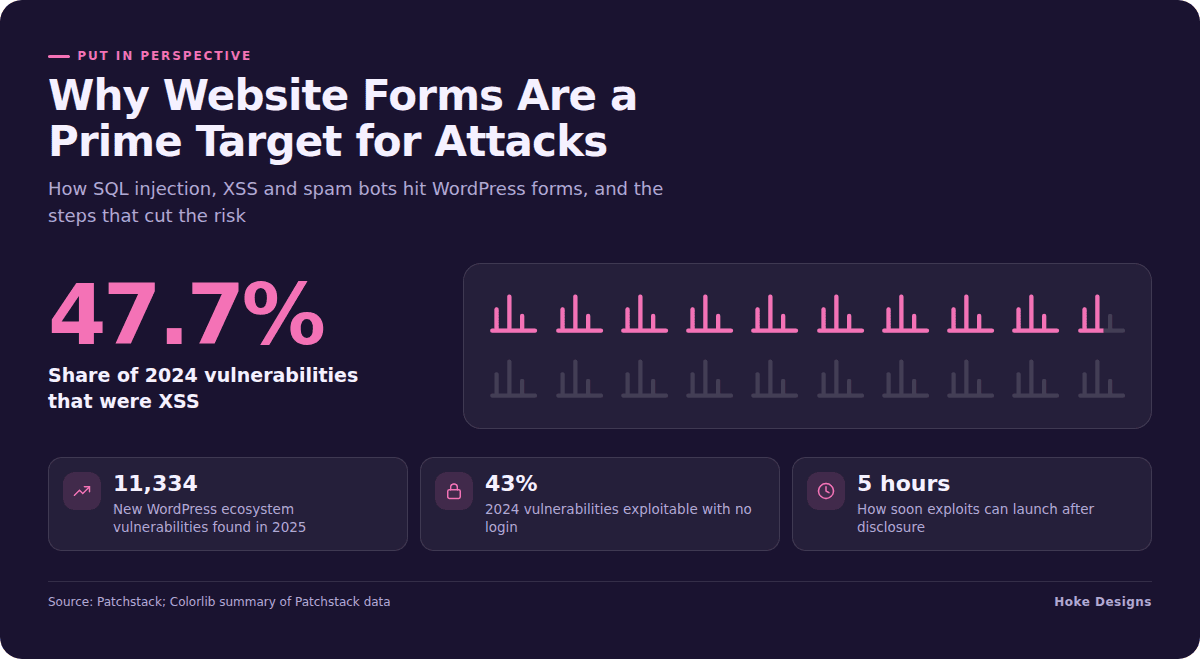
This infographic sums up the article on one page. Save it, share it with your team, or read on for the detail and the sources behind it.
In this article · 9 sections · 6 min
- 01Why Forms Are a Favorite Target
- 02SQL Injection: When a Form Field Talks to Your Database
- 03Cross-Site Scripting: When Your Form Serves Someone Else’s Code
- 04Checkout Skimming: XSS With a Price Tag
- 05Spam Bots: The Noisy Attack That Hides the Quiet Ones
- 06Why Speed Matters More Than It Used To
- 07A Hardening Checklist for Forms, Bookings and Checkouts
- 08When to Bring in a Professional
- 09Key Takeaways
Yes, your contact form is one of the most exposed parts of your website. Any field that accepts text from a stranger is a door attackers will try. That includes a contact form, a booking request or a checkout page. The three most common ways they try it are SQL injection, cross-site scripting (XSS) and automated spam bots.
The encouraging part is that most of the risk comes from a short list of fixable problems: outdated plugins, more plugins than you need, and nobody watching. Below you’ll find how each attack works, real examples from WordPress form plugins, and a checklist you can work through this week.
Why Forms Are a Favorite Target
A form exists to accept input from anyone on the internet. On a WordPress site, that input is almost always handled by a plugin, and plugins are where the trouble concentrates. Patchstack found 7,966 new vulnerabilities in the WordPress ecosystem in 2024, with 96% in plugins and 4% in themes. The following year the count rose to 11,334, a 42% increase, with 91% in plugins and only 6 in WordPress core itself.
Those flaws have real consequences. According to Patchstack, vulnerabilities in core, plugins and themes are to blame for almost half of malware infections. In 2024 alone, 1,614 plugins and themes were removed from the WordPress repository because of unpatched security issues. If one of those was running your booking calendar, it simply stopped receiving fixes.
For many Southeast Alaska businesses, the form is the business. Tourism operators take reservations through it, and real estate agents collect leads with it. Contractors use it for quote requests. That makes it both valuable to you and attractive to attackers.

SQL Injection: When a Form Field Talks to Your Database
SQL injection happens when a plugin takes what someone typed and passes it straight into a database query. If the input isn’t properly handled, an attacker can type database commands instead of a name or email address. The database then runs them.
This isn’t theoretical. The Bit Form plugin, in versions up to 2.13.11, had a SQL injection flaw caused by user-supplied input being concatenated into SQL queries, fixed in version 2.13.12. The HTML Forms plugin, in versions up to 1.3.24, carried a SQL injection vulnerability with a critical CVSS 3.1 score of 9.1, fixed in version 1.3.25.
A successful injection can expose stored submissions, customer details and account records, or allow them to be changed. Notice that in both cases the fix already existed. The sites at risk were the ones that hadn’t updated.
Cross-Site Scripting: When Your Form Serves Someone Else’s Code
XSS works differently. Instead of attacking your database, the attacker gets your site to deliver their JavaScript to visitors or administrators. Stored XSS saves the malicious script, for example in a submission you later open in your dashboard. Reflected XSS bounces it back through a crafted link.
XSS is the single most common WordPress vulnerability type. Colorlib’s summary of Patchstack data puts it at 47.7% of vulnerabilities found in 2024, and notes that 43% of that year’s vulnerabilities required no authentication to exploit. In plain terms, many attacks don’t need a password at all.

Even the most widely used form plugins are affected. Contact Form 7 had a reflected XSS vulnerability in its active-tab parameter affecting versions up to and including 5.9. If you run it, confirm you’re on a later release.
Checkout Skimming: XSS With a Price Tag
On an online store, injected JavaScript can do more than deface a page. Attackers actively exploited a critical flaw in the Funnel Builder plugin, used by more than 40,000 WooCommerce stores, injecting JavaScript into checkout pages without logging in to steal card numbers, CVVs and billing addresses. Customers saw a normal checkout. The thieves saw everything typed into it.
If you sell online, treat every plugin that touches your cart or checkout as high-stakes. That includes funnels, upsells and custom fields.
Spam Bots: The Noisy Attack That Hides the Quiet Ones
Spam bots are the attack you notice first, because your inbox fills with junk. Beyond the annoyance, they can clog your CRM with fake leads and abuse your form to send unwanted email. They can also hammer your server. Bots are also used to probe forms for exactly the injection flaws described above. A flood of spam is sometimes cover for something more targeted.

Layered defenses work best. Common options include hidden honeypot fields, CAPTCHA or invisible challenge tools, and rate limiting on submissions. No single tool stops everything, and aggressive settings can block real customers, so test after each change.
Why Speed Matters More Than It Used To
The window between a flaw being announced and attacks beginning is short. Colorlib’s summary of Patchstack’s 2025 testing says exploits can launch within 5 hours of disclosure, and that traditional defenses blocked only 12% of WordPress-specific attacks. A generic firewall helps, but it isn’t a substitute for prompt updates and WordPress-aware protection.
A Hardening Checklist for Forms, Bookings and Checkouts
- Inventory your form plugins. List every plugin that accepts input, including contact, booking, quote, newsletter and checkout plugins.
- Remove what you don’t use. Deactivated plugins can still be a risk. Delete them.
- Update promptly. Check for updates at least weekly. Turn on automatic updates for trusted plugins where it won’t break your site.
- Check that each plugin is still maintained. If it has been pulled from the repository or hasn’t been updated in a long time, plan a replacement.
- Collect only what you need. Every extra field is extra data to protect. Never collect card numbers through a general contact form.
- Limit stored submissions. Use your email or CRM as the record. Clear old entries from the WordPress database on a schedule.
- Add layered spam protection. Combine a honeypot or challenge with rate limiting, then send yourself a test submission.
- Use WordPress-aware security. Choose a firewall or virtual-patching service that understands plugin vulnerabilities.
- Keep tested backups. Store them off the server and confirm you can actually restore one.
- Watch for warning signs. Look out for unexpected admin users, unfamiliar scripts on checkout pages, or sudden spikes in submissions.
When to Bring in a Professional
You can do all of this yourself if you’re disciplined about it. The hard part is consistency. With thousands of new vulnerabilities each year and exploits arriving within hours, security becomes an ongoing job rather than a one-time setup. If your forms take payments, bookings or personal information, ongoing professional care is worth considering. A one-time setup won’t keep up.
Hoke Designs has been designing websites since 2007. We build e-commerce stores, reservations and appointment booking, and offer managed hosting, so forms and checkouts are part of everyday work for our team. If your site is hosted with us and something about a form looks wrong, raise it through our support desk at support.hokedesigns.com.
Key Takeaways
- Contact forms, booking pages and checkouts accept input from anyone, which makes them prime targets.
- Most WordPress vulnerabilities live in plugins, not core.
- SQL injection targets your database. XSS targets your visitors, and on a store it can mean stolen card data.
- Spam bots are a nuisance and sometimes a cover for probing.
- Prompt updates, fewer plugins, minimal data collection and WordPress-aware protection do most of the work.
If you’d like a second set of eyes on your forms, call (424) 209-8199 or send a message via the contact form, and a person will reply within one business day.
Images are presented for illustration purposes only.We use real photographs when we need to show what was happening at a real event.
Keep reading
More on Security

Your WordPress Padlock Isn’t Enough: SSL Gaps and Headers
A padlock in the browser means the connection is encrypted, not that your WordPress site is set up securely. We cover common SSL/TLS misconfigurations, how to…
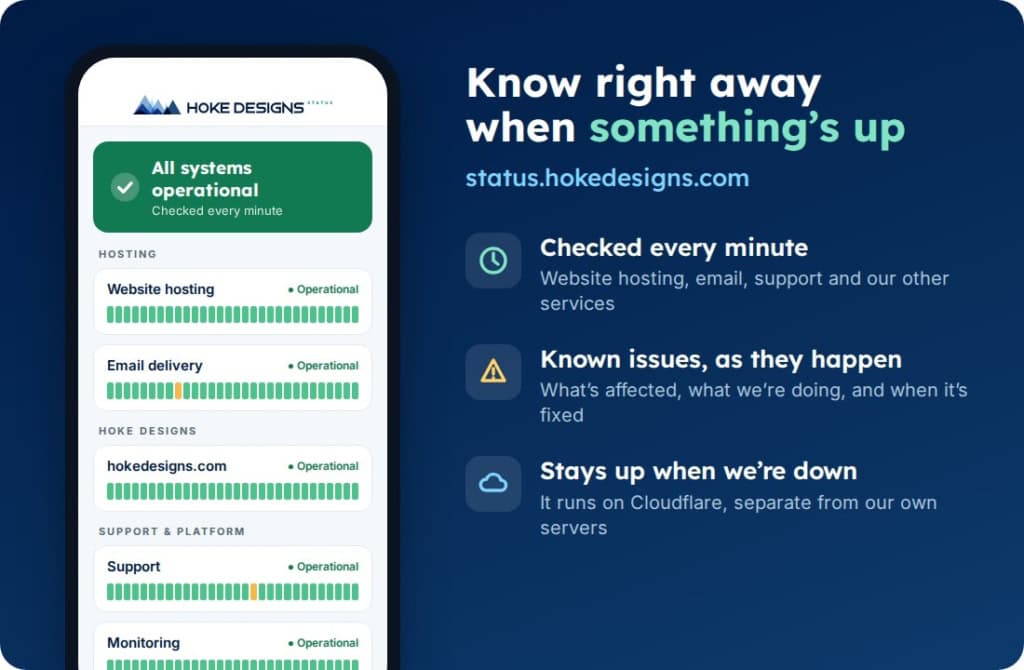
Introducing status.hokedesigns.com: Live Status for Every Hoke Designs Service
Our new status page shows, minute by minute, whether website hosting, email, support and our other services are running normally, along with any known issues and…

PHP2Shell: What It Is and How We Protected Your Website
PHP2Shell is a pair of critical flaws in PHP, the engine underneath WordPress and most of the web. Here’s what it means in plain English, why…
Hoke Designs
Questions about your own website?
Talk to the team that writes these articles and looks after dozens of sites every day. You’ll get a straight answer.