
Is That Email Really From Them? Spotting Spoofed Senders
A familiar name in the "From" line doesn't prove an email came from that business. Learn how display-name spoofing, look-alike domains and hijacked accounts work. Then run a quick checklist before you click, pay or reply, and see how SPF, DKIM and DMARC stop scammers from borrowing your domain.

At a glance
The short version
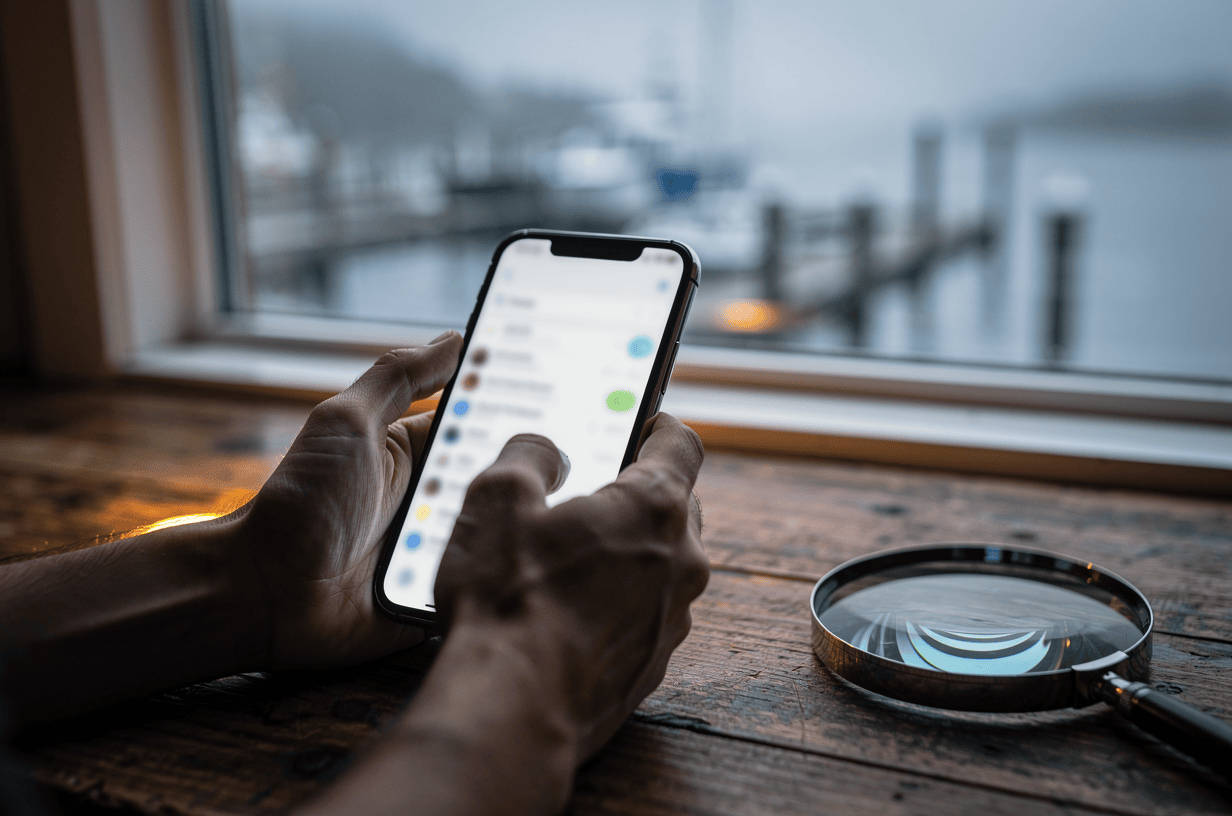
This infographic sums up the article on one page. Save it, share it with your team, or read on for the detail and the sources behind it.
In this article · 6 sections · 7 min
A familiar name in the “From” line does not prove an email came from that business. Unless the sender’s domain is protected by email authentication, anyone can forge the visible sender. Look-alike domains can also slip past those protections entirely. The good news is that you can learn to spot the warning signs. A few settings on your own domain also make it much harder for scammers to borrow your name.
Many readers ask some version of this question about us or about another business they deal with. This guide explains how impersonation works and what to check before you click, pay or reply. It also covers what to set up so your customers can trust the emails that carry your name.
Why email impersonation is worth taking seriously
Email impersonation is one of the most expensive scams businesses face. According to the FBI’s 2024 Internet Crime Report, business email compromise (BEC) caused $2.77 billion in losses across 21,442 reported incidents in 2024. That was more than 17% of the $16.6 billion in losses reported to the FBI that year, and that total was the highest the FBI has ever recorded. In the same data, phishing drew more complaints than any other crime type, with 193,407 complaints.

Breach research tells the same story. Verizon’s 2025 Data Breach Investigations Report found that 16% of breaches began with phishing and 22% began with credential abuse. Stolen passwords often come from phishing emails in the first place. Small organizations are not exempt. Verizon’s snapshot for small and medium-sized businesses lists social engineering among the top incident patterns, with phishing leading the way.
For a business in Southeast Alaska, the risk is easy to picture. A charter operator gets a fake “updated payment details” email from a supplier. A contractor gets an invoice that looks right but sends money to the wrong account. A customer gets a message that appears to come from a local shop they trust.

How spoofing and look-alike senders work
Scammers use a few common tactics:
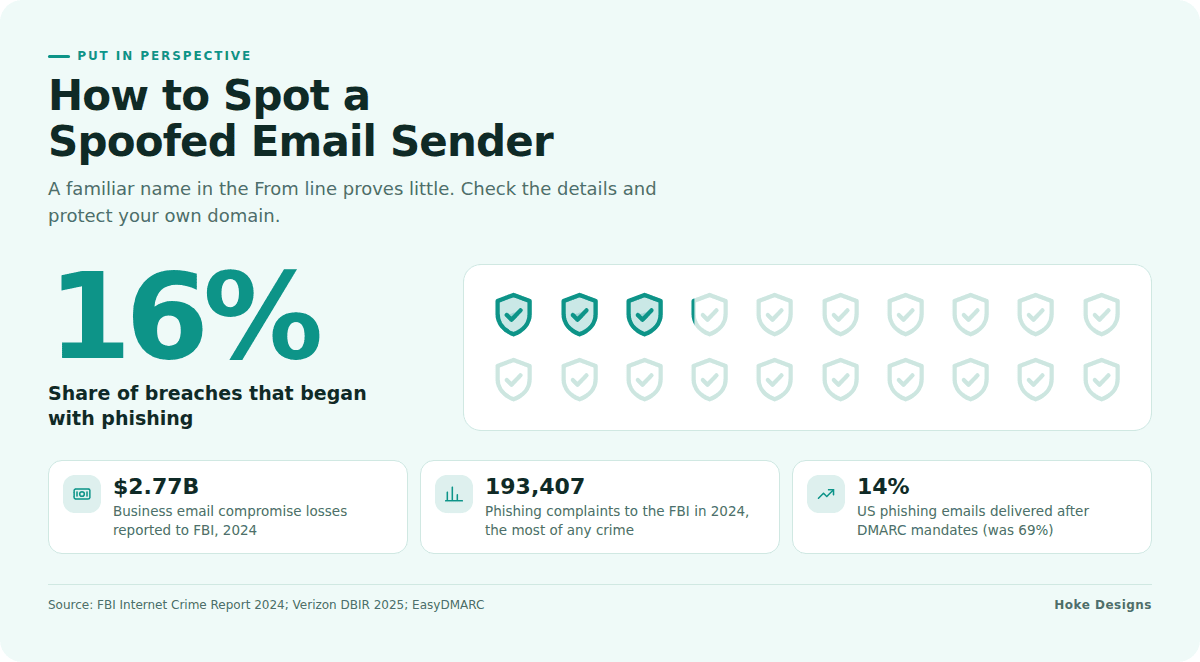
- Display-name spoofing: The sender’s name reads like a trusted business, but the actual address behind it is a random free email account. Many phones show only the name, so this works more often than you’d expect.
- Direct domain spoofing: The “From” address shows the real domain, such as [email protected]. This works when the real domain has no authentication policy telling mail servers to reject forgeries.
- Look-alike domains: The scammer registers a domain that is one character off. Common tricks include a swapped letter, an added hyphen, an “rn” that looks like “m,” or a different ending like .co instead of .com. These emails can pass authentication checks, because the scammer really does own that look-alike domain.
- Compromised real accounts: Sometimes the email is genuinely sent from the real business’s mailbox, because someone stole the password. Authentication can’t catch this, which is why strong passwords and multi-factor login matter.
A quick checklist before you act on an email
Run through these steps whenever a message asks for money, passwords, logins or urgent action:
- Expand the sender details. Tap or click the sender’s name to see the full address. Read the domain letter by letter.
- Hover before you click. On a computer, hover over links to see where they really go. On a phone, press and hold. A link labeled with a familiar name that points somewhere unfamiliar is a red flag.
- Watch for pressure. Be wary of urgency, secrecy, “new bank details,” gift card requests and threats of account suspension. These are classic pretexting moves.
- Verify through a separate channel. Call the business at a phone number you already know, not one listed in the email. Never confirm a payment change by replying to the same message.
- Don’t enter passwords from an email link. Go to the site directly by typing the address or using a bookmark.
- Report it. Forward suspicious messages to your IT contact or email provider. Let the impersonated business know as well, since they may not realize they’re being targeted.
If an email claims to come from Hoke Designs and something feels off, contact us directly. You can call (424) 209-8199 or use our support desk.

Protecting your own domain: SPF, DKIM and DMARC
If you own a business domain, three DNS records decide whether receiving mail servers can tell your real email from a forgery:
- SPF (Sender Policy Framework) lists which servers are allowed to send mail for your domain.
- DKIM (DomainKeys Identified Mail) adds a digital signature that proves a message wasn’t altered and was authorized by your domain.
- DMARC tells receiving servers what to do when a message fails those checks. The options are to monitor (
p=none), send to spam (p=quarantine) or block it (p=reject). DMARC also sends you reports showing who is sending mail using your name.
These records are now close to mandatory. Starting in February 2024, Google and Yahoo required bulk senders to authenticate with both SPF and DKIM, with at least one aligned so the message passes DMARC, and to publish a DMARC record of at least p=none. The rules for smaller senders are lighter. Under the same rules, all senders must set up at least SPF or DKIM and keep spam complaint rates below 0.3%. Google defines bulk senders as those sending more than 5,000 emails per day to Gmail accounts. Even if you’re well under that number, missing authentication can push your invoices and booking confirmations into spam folders.
Adoption is growing, but gaps remain
More domains are adopting DMARC every year. EasyDMARC found that DMARC adoption among top domains grew from 27.2% to 47.7% between 2023 and 2025, while enforcement policies grew by 50%. The number of domains with a valid DMARC record rose from 523,921 in 2023 to 937,931 in early 2026. The results are real. In the US, which has DMARC mandates, the report says the share of phishing emails successfully delivered fell from 69% to 14%.
Even so, a Q2 2025 analysis found that only about 18% of the 10 million most-visited domains published a valid DMARC record, and only about 4% fully enforced a reject policy. Most domains are still open to spoofing.
Steps to tighten your domain
- List every service that sends email for you. Include your mailbox provider, website contact forms, newsletter tools, booking systems and invoicing software.
- Publish or update your SPF record so it covers all of those services.
- Turn on DKIM signing in each sending service.
- Start DMARC at
p=noneand review the reports for a few weeks. - Fix any legitimate mail that fails, then move gradually to
quarantineand thenreject.
How long this takes depends on how many tools send mail for you. Move to enforcement too early and you can block your own invoices or website form notifications. For that reason, it’s wise to have someone experienced with DNS and email handle it or review your settings.
People are still the last line of defense
Technology filters a lot, but not everything, especially look-alike domains and hijacked accounts. Verizon found that phishing and pretexting were the leading social actions in social engineering incidents. It also found that recently trained users reported simulated phishing emails about 21% of the time, compared with a base rate of 5%. Short, regular reminders for your team are worth the time. That includes seasonal staff who handle bookings and payments.
Key takeaways
- A trusted name in the “From” line proves little on its own. Check the full address and the link destinations.
- Verify payment or login requests through a phone number you already know.
- SPF, DKIM and DMARC let mail servers reject forgeries of your domain. Google and Yahoo now expect them.
- Move DMARC to enforcement carefully, ideally with expert help, so your own mail keeps flowing.
- Regular staff training measurably improves how often phishing gets reported.
If you’d like a hand with any of this, call (424) 209-8199 or send a message via our contact form, and a person will reply within one business day.
Images are presented for illustration purposes only.We use real photographs when we need to show what was happening at a real event.
Keep reading
More on Security

How Social Engineering Tricks Smart People and How to Stop It
Social engineering works by exploiting trust, authority and urgency, so being smart offers little protection. This guide shows how phishing emails, fake support calls, smishing texts…

Six Security Gaps in DIY Website Hosting and How to Close Them
Self-hosted sites rarely fail from dramatic hacks. Instead, routine work stops happening: plugin updates, server patches, login cleanup, certificate renewals and offsite backups. We walk through…

Abandoned WordPress Plugins: How to Find and Fix Them
Most WordPress vulnerabilities are in plugins and themes, not core, and an abandoned plugin will never get the fix it needs. Your dashboard may not even…
Hoke Designs
Questions about your own website?
Talk to the team that writes these articles and looks after dozens of sites every day. You’ll get a straight answer.