

The Ultimate Guide to Proactive Website Maintenance Strategies: Safeguard Your Online Presence and Enhance Performance

Here is the fully polished, publication-ready version of your article. All placeholder text has been removed, and the content has been refined for clarity, professionalism, and SEO readiness while preserving your original structure and markdown formatting.
—
How Proactive Website Maintenance Prevents Bigger Problems: A Complete Guide to Protecting Your Online Presence
Primary keywords: proactive website maintenance, website maintenance plan, website upkeep
Every business knows a website is more than a digital brochure—it’s revenue-generating real estate, a lead machine, and the front door to your brand. Yet many organizations treat website maintenance as an occasional chore instead of a strategic discipline. That approach leaves sites vulnerable to slow performance, security breaches, broken functionality, and search engine ranking declines—issues that escalate into costly downtime, lost customers, and damaged reputation. This article explains why proactive website maintenance prevents bigger problems, laying out the concrete actions, schedules, and metrics that keep sites fast, secure, and optimized. You’ll learn what a comprehensive website maintenance plan looks like, the ROI of preventive upkeep, specific tactics for small and enterprise sites, case studies that illustrate how proactive care avoids crises, and a ready-to-use checklist to implement immediately. By the end, you’ll understand why investing in regular maintenance is not optional—it’s the smartest way to protect your digital asset and ensure long-term growth.
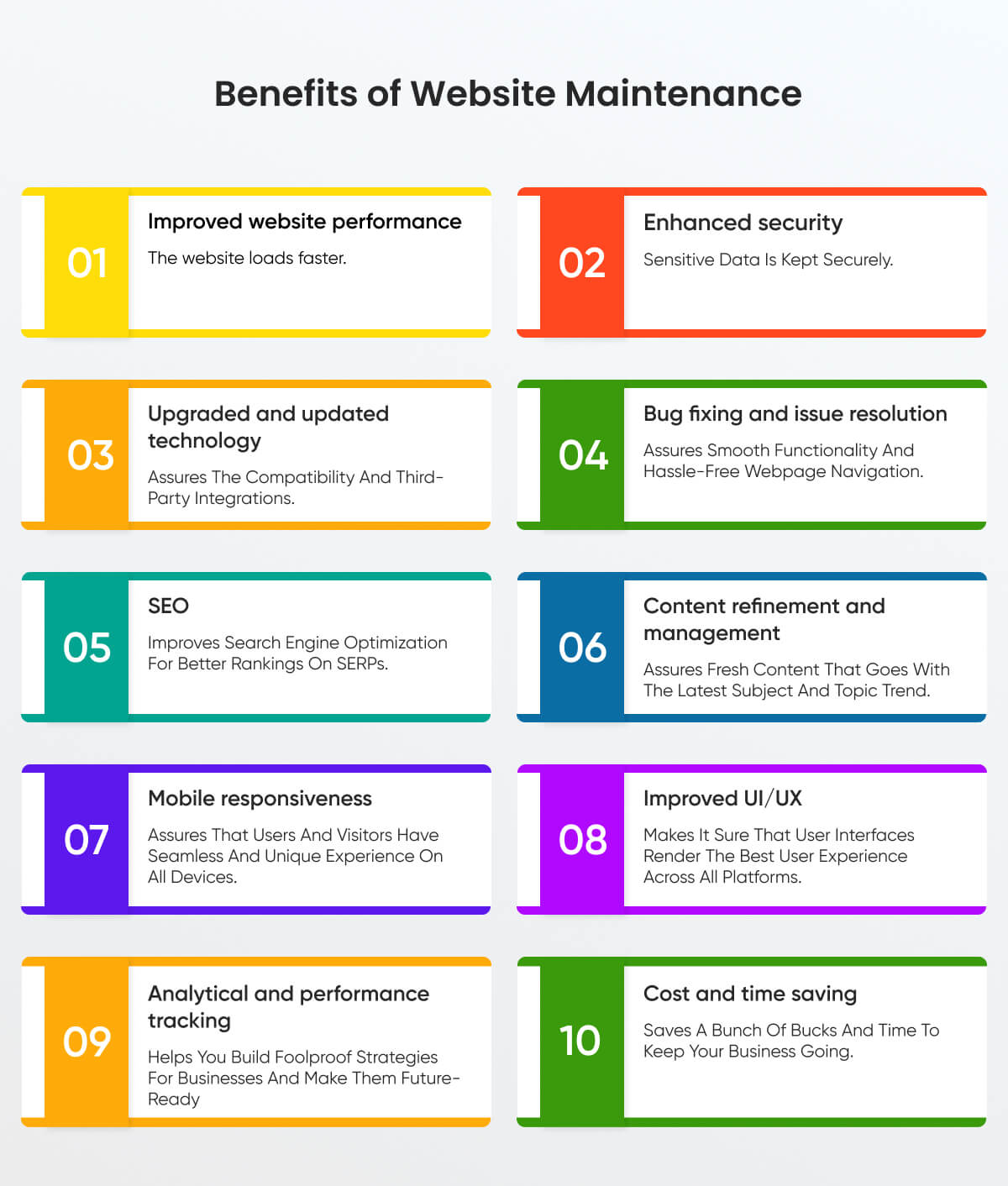
Why Proactive Website Maintenance Matters
Proactive website maintenance is the systematic process of regularly checking, updating, and optimizing your website to prevent problems before they occur. Unlike reactive fixes—applied only after something breaks—proactive maintenance identifies and mitigates risks early. The results: fewer outages, better user experience, stronger SEO, and lower long-term costs.
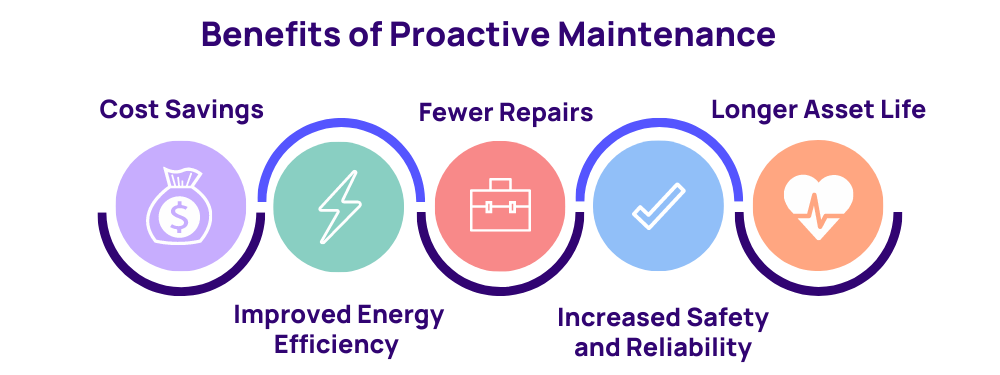
Key benefits of proactive maintenance
- Improved security and reduced breach risk
- Higher site performance and faster load times
- Consistent uptime with fewer outages
- Better SEO rankings and organic traffic retention
- Lower cumulative costs compared with emergency fixes
- Enhanced customer trust and brand credibility
- Update CMS, themes, and plugins weekly or on a staged schedule.
- Apply security patches within 24–72 hours for critical releases.
- Use a staging environment to test updates before production deployment.
- Enable Web Application Firewall (WAF) and intrusion detection.
- Harden server configurations (disable unused services, enforce TLS 1.2+).
- Conduct regular vulnerability scans and penetration tests quarterly.
- Implement multi-factor authentication (MFA) for admin access.
- Automate backups daily and keep incremental copies for 30–90 days.
- Store backups off-site and test restore procedures monthly.
- Monitor Core Web Vitals and page speeds via synthetic and real-user monitoring.
- Use caching, CDN, and image optimization to reduce load times.
- Audit server response times and database queries to identify bottlenecks.
- Run monthly SEO audits: fix meta tags, canonical issues, and sitemap integrity.
- Check for and repair broken links and redirect chains.
- Refresh stale content and prune low-performing pages quarterly.
- Conduct automated and manual accessibility testing and remediate issues.
- Keep privacy notices, cookie banners, and data processing records up to date.
- Implement 24/7 uptime monitoring with alerting for downtime and 5xx errors.
- Track and triage JavaScript console errors and API failures.
- Enable automated daily backups (off-site) and test a restore monthly.
- Schedule weekly CMS, plugin, and theme updates; use staging for testing.
- Set up a Web Application Firewall (WAF) and monitor logs daily.
- Implement uptime monitoring with SMS/email alerts for downtime.
- Optimize images, enable gzip/Brotli, and configure caching headers.
- Install SSL/TLS (Let’s Encrypt or purchased cert) and enforce HTTPS.
- Run monthly SEO audits and fix broken links and redirect chains.
- Perform quarterly vulnerability scans and annual penetration tests.
- Audit accessibility (WCAG) and privacy/legal notices annually.
- Document and rehearse incident response and recovery plans.
- Check backups and monitoring alerts
- Quick security log scans for suspicious activity
- Apply non-critical updates in staging
- Run performance tests and clear cache
- Full-site security scan and SEO report
- Test backup restores
- Content review and refresh
- Penetration testing and compliance review
- Accessibility audit and remediation
- Capacity planning and traffic forecast
- Full infrastructure review and disaster recovery drill
- Renew SSL, licenses, and service contracts
- Uptime percentage (target 99.9%+)
- Mean time to detect (MTTD) and mean time to recover (MTTR)
- Page load time and Core Web Vitals
- Number of security incidents and severity
- Organic traffic and keyword rankings
- Conversion rate and bounce rate
- Backup success rate and restore time
- Frame maintenance as risk management—compare recurring costs to potential loss from downtime or breach.
- Show ROI using past incidents or industry averages for breach cost and downtime revenue loss.
- Propose phased investments: start with critical protections (backups, patches, monitoring) then expand.
- Highlight compliance and legal risk mitigation to stakeholders less interested in technical detail.
- Offer SLA-backed vendor options to shift some operational risk off internal teams.
- Backup: UpdraftPlus (WordPress), Duplicati, AWS Backup
- Security/WAF: Cloudflare, Sucuri, ModSecurity
- Monitoring: Pingdom, New Relic, Datadog
- Performance: Google PageSpeed Insights, GTmetrix, Lighthouse
- SEO Audits: SEMrush, Ahrefs, Screaming Frog
- Accessibility: Axe, WAVE, Lighthouse
- Staging/CI: GitHub Actions, DeployHQ, WP Engine staging
- Internal: “Website Security Services” page — anchor text: website security services
- Internal: “Website Hosting Plans” page — anchor text: reliable hosting plans
- Internal: “Blog — Performance Optimization” — anchor text: website performance tips
- External authoritative sources (open in new window):
- OWASP (web application security guidance) — https://owasp.org/ (rel=”noopener noreferrer”)
- Google Search Central (Core Web Vitals) — https://developers.google.com/search/docs (rel=”noopener noreferrer”)
- National Institute of Standards and Technology (NIST) cybersecurity framework — https://www.nist.gov/ (rel=”noopener noreferrer”)
- Hero image suggestion: “Technician monitoring website dashboard” — alt text: “Website dashboard showing uptime and performance metrics”.
- Infographic suggestion: Maintenance schedule visual — alt text: “Website maintenance schedule calendar”.
- Use descriptive alt text, semantic headings, and ARIA roles where applicable.
- Open Graph: Provide an optimized title (max 60 chars), description (100–150 chars), and 1200×630 image.
- Twitter Card: Use summarylargeimage card with matching title and description.
- Include tweetable quotes in the content (e.g., “Proactive maintenance turns unpredictable downtime into planned improvement.”)
- Proactive maintenance reduces risk: Prevents security breaches, downtime, and lost revenue.
- Regular cadence matters: Daily backups, weekly updates, and monthly audits create resilience.
- Measure success: Track uptime, performance, and incident metrics to prove ROI.
- Start small, scale fast: Prioritize critical protections then expand your program.

Common Problems That Start Small and Become Big
Ignoring small issues leads to cascading failures. Below are frequent examples showing how minor neglect becomes expensive remediation:

Outdated software and plugins
Missing CMS, plugin, or theme updates create security holes that attackers exploit. A single compromised plugin can lead to data theft or site takeover.

Slow site speed
Slow pages reduce conversions and hurt SEO. If you don’t optimize images or manage caching, load times increase and bounce rates spike.

Broken links and 404 errors
Unaddressed broken pages degrade user experience and dilute search engine signals. Over time, crawlability and indexation suffer.
Poor backups and recovery planning
No backups mean a single failure—hardware fault, malware, or human error—can result in permanent data loss and prolonged downtime.
Non-compliant accessibility and privacy
Failing to maintain accessibility (WCAG) or privacy requirements (GDPR/CCPA) exposes you to legal risk and penalties.
Core Components of a Proactive Website Maintenance Plan
An effective maintenance plan has recurring tasks, monitoring, and reporting. Below is a blueprint you can adopt immediately.
1. Regular updates and patch management
2. Security hardening and continuous monitoring
3. Automated daily backups with tested recovery
4. Performance optimization and monitoring
5. Content audits and SEO upkeep
6. Accessibility, legal compliance, and data protection
7. Uptime and error monitoring
How Proactive Maintenance Saves Money: A Cost-Comparison
Investing in routine maintenance reduces the probability and impact of catastrophic events. Below is a simple comparative table illustrating typical cost differences over a year.
| Expense Category | Proactive Maintenance (annual) | Reactive Approach (annual) |
|---|---|---|
| Scheduled maintenance & updates | $1,200–$6,000 | $300–$2,000 |
| Emergency incident remediation | $0–$1,000 | $5,000–$75,000+ |
| Downtime & lost revenue | Minimal | $10,000–$200,000+ |
| SEO & traffic recovery | Continuous | Months of lost visibility |
Note: Figures vary widely by business size and industry. The principle remains: regular investment prevents exponential costs later.
Real-World Case Studies: Prevention Wins
Case study 1: E-commerce retailer avoids Black Friday disaster
A mid-size online retailer scheduled a full-stack maintenance week two months before Black Friday. The team tested updates in staging, optimized caching, and increased CDN capacity. When a surge in traffic hit on Black Friday, server response times remained stable, sales increased by 28% year-over-year, and no downtime occurred. The preventive work cost an estimated $4,500 but avoided what would have been an estimated $120,000 loss from downtime and poor conversions.
Case study 2: SaaS startup thwarts ransomware attack
A SaaS provider maintained daily backups, isolation of critical databases, and strict patching. An attempted ransomware attack encrypted a portion of their infrastructure—but because backups were recent and recovery procedures were practiced, they restored services within two hours with minimal data loss. The fast recovery preserved customer trust and prevented legal exposure.
Case study 3: Local service provider wins with SEO maintenance
A local services business performed monthly content audits and fixed technical SEO issues promptly. After a competitor experienced a prolonged outage and ranking drop, the maintained site capitalized on user demand and increased organic leads by 45% within three months.
Actionable Proactive Maintenance Checklist (Ready to Use)
Implement these tasks immediately to establish baseline protection.
How to Build a Maintenance Schedule (Sample)
Below is a practical cadence you can adopt and adapt to your organization’s needs.
Daily
Weekly
Monthly
Quarterly
Annually
Metrics to Track: Measure the Impact of Maintenance
Use these KPIs to quantify the benefits of proactive upkeep:
Cost vs. Risk: How to Sell Maintenance Internally
Securing budget for maintenance often requires translating technical activity into business outcomes. Use these persuasion points when making the case:
Tools and Platforms That Support Proactive Maintenance
Choosing the right tools streamlines work and increases reliability. Here are categories and recommended options:
Common Objections and How to Overcome Them
“We don’t have the budget.”
Prioritize low-cost, high-impact actions: automated backups, basic monitoring, and critical security patches. Demonstrate ROI and phased spending to reduce upfront cost.
“We’ve never been hacked—why invest?”
Security is probabilistic: the absence of incidents doesn’t mean you’re safe. Prevention reduces risk and ensures business continuity when incidents inevitably occur.
“Maintenance interrupts our release schedule.”
Use staging environments and scheduled maintenance windows. Automation and CI/CD reduce the friction of updates while preserving uptime.
FAQ: Answering Key Questions for Decision-Makers
How often should I update my site?
Critical security updates should be applied within 24–72 hours. Non-critical updates should follow a weekly or biweekly cadence with staging validation.
Can I automate everything?
Many tasks can be automated—backups, monitoring, patching—but human oversight remains essential for testing, audits, and incident response.
What’s the minimum maintenance I should do?
At a minimum: daily backups, uptime monitoring, SSL enforcement, weekly updates for core components, and monthly security scans.
How do I measure if maintenance is working?
Track uptime, MTTR, page speed, security incident frequency, and organic traffic trends. Improvements in these KPIs indicate effective maintenance.
Internal and External Link Suggestions (SEO-ready)
Include these links within your site to strengthen topical relevance and user journey:
Image and Accessibility Recommendations
Schema Markup Recommendation
Implement Article schema to improve search visibility and eligibility for rich results. Include properties: headline, author, datePublished, image, publisher, mainEntityOfPage, and description. Use JSON-LD placed in the page head. Ensure the valid values match page metadata.
Social Sharing Optimization
Final Thoughts and Call to Action
Proactive website maintenance is not a cost center—it’s a strategic investment that protects revenue, reputation, and customer trust. Regular updates, robust backups, performance optimization, and continuous security monitoring prevent small issues from becoming business-threatening incidents. Start by implementing the actionable checklist above and adopt a maintenance schedule that fits your organization. Monitor the KPIs outlined here and report improvements to stakeholders to secure ongoing investment.
Ready to protect your website? Schedule a free site audit to identify immediate risks, or implement our checklist starting today to prevent tomorrow’s crises. For enterprise support, consider an SLA-backed maintenance plan that guarantees uptime and faster incident response.
Key Takeaways
Author: Senior digital strategist and web operations expert with extensive experience securing and optimizing websites for small businesses and enterprises.</p
about the author

Making sure your website stands out in the Great North.
